
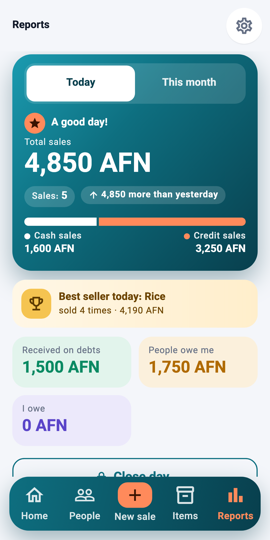
Today or this month 1Step 1Open Reports. Switch between Today and This month at the top.
Cash and credit split 2Step 2The big number is the total sold; the bar splits it into cash and credit, and the line under it compares with yesterday or last month.
Best seller and debts 3Step 3Below: the best seller, what you received on debts, what people owe you and what you owe. Tap All on Home's receipts for the full list of sales.
What you will see A "good day" or "quiet day" line, the totals, the best seller, and the debt totals for the period.