
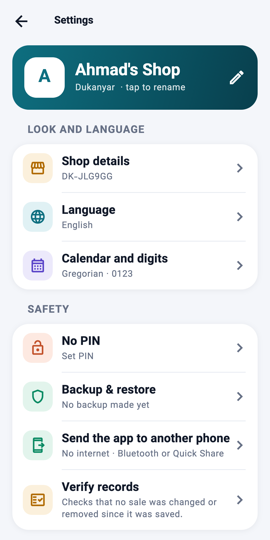
Settings: backup 1Step 1Open Settings (the gear on Home) and tap Backup & restore.
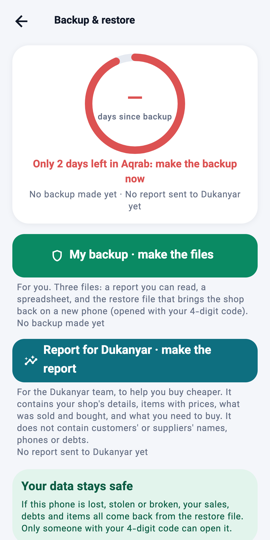
The status ring 2Step 2The ring shows the days since your last backup. It turns amber near the end of the month and red when only three days are left.
My backup 3Step 3Tap My backup · make the files and choose a 4-digit code. Three files go to your Downloads folder: a readable report, a spreadsheet, and the restore file that only your code opens.
Send, and restore elsewhere 4Step 4Send the files to yourself on WhatsApp or save them elsewhere. To move the shop to another phone or computer, open Dukanyar there, tap Restore from backup, pick the restore file and type your code.
What you will see The ring turns green with a tick, the three files appear in Downloads, and the Home reminder is marked done.