
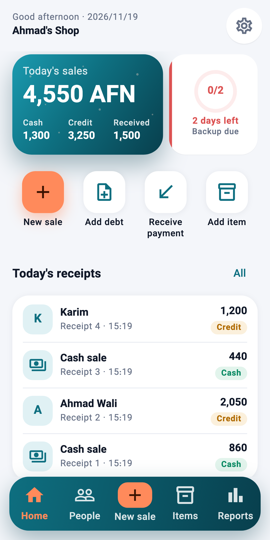
Home: the month-end to-do 1Step 1From the 26th of each month a to-do card appears on Home next to today's sales: make the backup, send the report. Tap it.
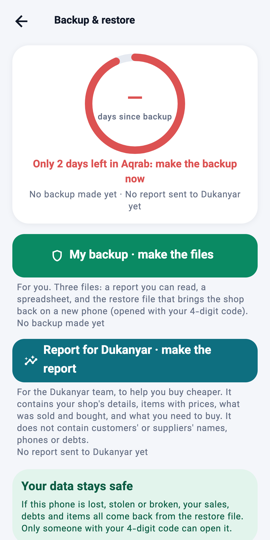
Report for Dukanyar 2Step 2On the Backup page tap Report for Dukanyar · make the report. The file has your shop's details, items and prices, what was sold and bought, and what you need to buy. It never has customers' or suppliers' names, phones or debts.
Send it 3Step 3Send it on WhatsApp to Dukanyar, or by another app. When both tasks are done the card on Home goes away until next month.
What you will see The to-do card shows a tick for each task done, and disappears when both are done.