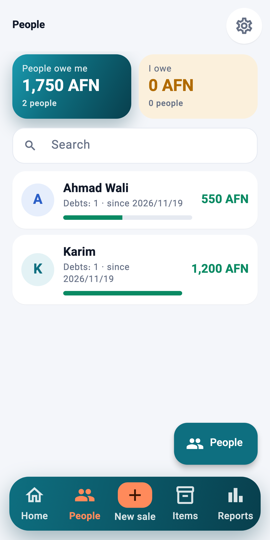
People 1Step 1Open People in the bottom bar. The two boxes show what people owe you and what you owe; the list shows each person with how many debts and since when.
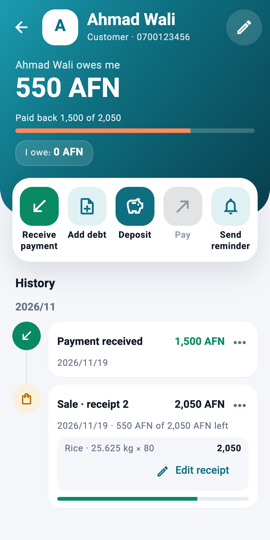
The person's header 2Step 2Tap a person. The teal header shows their name, phone, the amount owed and how much has been paid back.
The four actions 3Step 3The four actions on the white card: Receive payment, Add debt (money lent without a sale), Pay (when you owe them) and Send reminder, which writes a polite message you send on WhatsApp or SMS.
The history with the items bought 4Step 4Below is the history, grouped by month. A credit sale lists the items bought; tap More to see all of them.
What you will see Every sale, payment and reminder for that person, newest first, with the items under each credit sale.