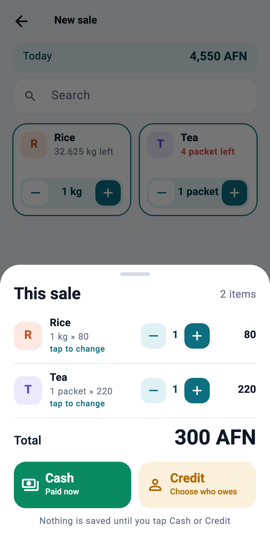
Review: the Credit button 1Step 1Make the sale as usual, then on the receipt tap Credit instead of Cash.
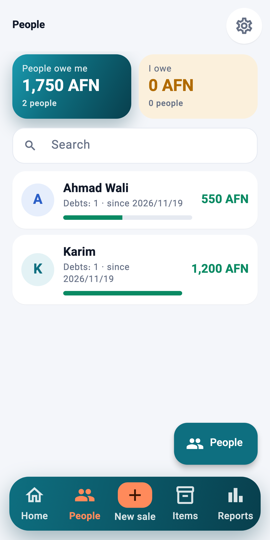
Pick the person 2Step 2Pick the customer from the list, or add a new one with their name and phone. The sale is saved as a debt on their page.
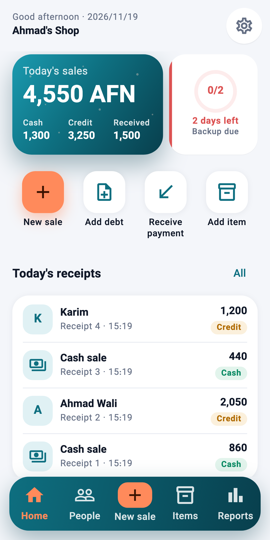
Home: Receive payment 3Step 3When they pay something back, tap Receive payment on Home (or on the person's page).
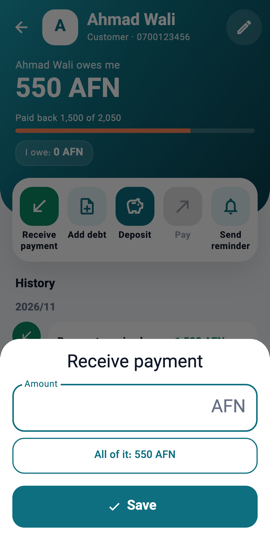
Receive payment: the amount 4Step 4Type the amount. It can be part of the debt; the rest stays open.
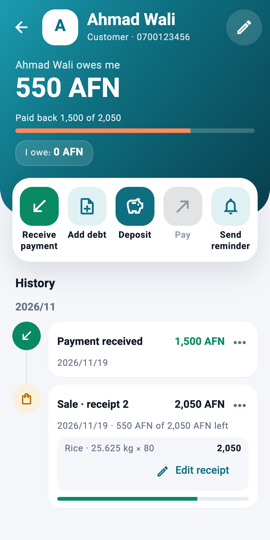
The person's page after a payment 5Step 5Save. The person's balance goes down and the payment appears in their history, with the date.
What you will see On Home, Credit and Received change; on the People tab, the person's amount owed goes down.