
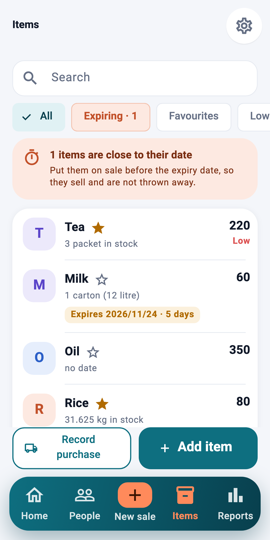
Items: search and filters 1Step 1Open Items. Search by name, or use the filters: All, Near the date (items close to or past their expiry) and Favourites.
The favourite star 2Step 2The star marks a favourite. Favourites appear first on the New sale page, so your fast movers are one tap away.
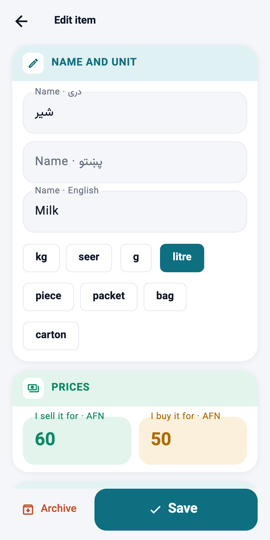
The item form: prices 3Step 3Tap Add item (or an item to edit it). Give it a name, a unit (kg, piece, packet…), the selling price and, if you like, the buying price.
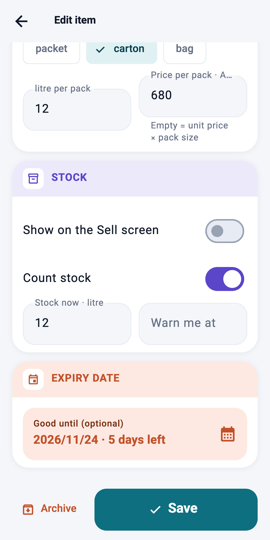
Count stock 4Step 4Turn on Count stock to track how many you have; sales take from it and purchases add to it. Set a low-stock level to be warned.
Good until 5Step 5For food and medicine, set Good until. Items within two weeks of the date are listed first and marked, so you sell them before they expire.
What you will see Items with stock show how many are left; items near their date get a warning line and come first in the list.